
Friday, 24 January 2014

Wednesday, 22 January 2014
Robots Will Invade Our Lives
Summary: In this video, a roboticist named Rodney Brooks talks about how robots can be used in our daily lives. From cleaning floors to talking to us. Rodney also mentions many interesting facts about robots.
Connections:
-Robots are kind of like sprites on scratch. We program them to do certain commands and they do it. Recently, in information technology class, we have been working on scratch.
-This video also related to information technology because, we work with thing like robots, in a way robots are like computers.
Ideas that interested me the most:
-The fact that robots can now be used for military purposes interested me.
-Even though Hollywood has released quite a few movies that are about robots taking over the world, Rodney Brooks showed us that robots cannot take over the world.
*I added the two pieces of information on the KWL Chart on "The Humaniods Are Here" post.*
Connections:
-Robots are kind of like sprites on scratch. We program them to do certain commands and they do it. Recently, in information technology class, we have been working on scratch.
-This video also related to information technology because, we work with thing like robots, in a way robots are like computers.
Ideas that interested me the most:
-The fact that robots can now be used for military purposes interested me.
-Even though Hollywood has released quite a few movies that are about robots taking over the world, Rodney Brooks showed us that robots cannot take over the world.
*I added the two pieces of information on the KWL Chart on "The Humaniods Are Here" post.*
Tuesday, 21 January 2014
THE HUMANIODS ARE HERE!

Name: Big Dog
Interesting Facts:
This machine has the ability to run at 4 miles per hour as well as walk through water and snow.
Big Dog has a stereo vision system and navigation system built inside of it.

Name: Asimo
Interesting facts:
Asimo is able to walk, run, greet people and bring them a drink.
This robot is also able to recognize faces and address familiar faces by their names.

Name: HRP-4C
Interesting facts:
HRP-4C is the world's closest robot that closely resembles a human being.
This robot communicates by using speech recognition technology.

Name: Reem-B
Interesting facts:
Reem-B was created in Spain.
This robot is able to move objects that are up to 25% of its weight.
Reem-B is also able to play chess.

Name: Twendy-One
Interesting facts:
Twendy-one has the ability to pick up straws and give drinks to guests.
This machine weighs nearly 250 pounds.

Name: Justin
Interesting facts:
Justin is the strongest European robot.
This robots control and accuracy is one of the best in the world.

Name: CB-2
Interesting facts:
CB-2 acts like a baby, he stares at strangers, speaks baby talk and reaches for toys.
This robot was created by researchers at Osaka University’s Graduate School of Engineering.

Name: Kaspar
Interesting facts:
University of Hertfordshire is where this robot was developed.
Kaspar's skin contains sensors to that can interact autistic children who often feel disturbed when they are touched or touching someone.

Name: Kobain
Interesting facts:
Kobain is another Japanese project.
Kobain is considered to have the creepiest facial expressions on a robot.

Name: Robonaut
Interesting facts:
Robonaut is actually a robotic astronaut.
The Robot Systems Technology Branch at NASA’s Johnson Space Center created Robonaut.
What I have learned:
• Artificial intelligence is about robots.
• The robot is able to understand human commands in different languages.
• The first artificial robot was created in the 1960s
• The first artificial intelligence robot was called shaky
• The robot has a laser scan
• Robots cannot understand obvious things like humans.
• Robots can be used for military purposes
• Robots can detect the tone of your voice and respond with certain reactions.
• There are many robots that can be used for cleaning your home.
Monday, 20 January 2014
My 5 Favorite Guinness World Records

• WHAT:MOST PIERCINGS IN A LIFETIME (FEMALE)
• WHERE:EDINBURGH, UNITED KINGDOM
• WHEN: JUNE 8 2006

• WHAT:SHORTEST MAN - LIVING
• WHERE:NEPAL
• WHEN: 2012-PRESENT

• WHAT: HIGHEST REVERSE BUNGEE JUMP
• WHERE: LONDON UNITED KINGDOM
• WHEN: October 3 2008

• WHAT: LONGEST TONGUE CURRENT - DOG
• WHERE: FORT WORTH, UNITED STATES
• WHEN: MAY 8 2009

• WHAT:WORLD'S TALLEST MAN
• WHERE:ANKARA, TURKEY
• WHEN: DECEMBER 10 1982
Sunday, 19 January 2014


Monday, 13 January 2014


Monday, 6 January 2014
Massive Scale Online Collaboration
4. PART C: Blog Post
TED VIDEO: Luis von Ahn: Massive-scale online collaboration
http://www.ted.com/talks/lang/en/luis_von_ahn_massive_scale_online_collaboration.html
Place all questions and answers in a NEW POST on your blog. Title your NEW POST MASSIVE SCALE ONLINE COLLABORATION
Define what a CAPTCHA is in your own words.
A CAPTCHA is a type of security system that uses distorted words that only humans are able to read.
What is the purpose of websites using CAPTCHAS?
The websites that use CAPTCHA aren't spammed and it prevents from computers trying to make tons of accounts on websites.
List 5 websites you have been to that require a CAPTCHA to be used.
Google, Twitter, Facebook, Hotmail, Blogger and Ticketmaster are all websites that use CAPTCHA.
4. How are CAPTCHAS helping to digitalize books?
CAPTCHA’s are pictures of words from a book that a computer couldn’t recognize. When we type in the CAPTCHA, the computer is able to recognize the word. However, they make sure that you are typing the right word in by using two CAPTCHA’s one that computer knows and the other that it doesn’t.
5. Think of some examples that utilize many people, all over the world, working together on a single project.
Hour of Code, Duolingo.com, Cancer research, and the Unicef Right to Play organization.
6. Brainstorm how you think we could motivate individuals to contribute to massive online project for free. List at least 3 ways.
Encourage them; remind them that they are doing this for the betterment of humanity.
Create a website that people want to take part in, make it interesting and fun.
Show them what the results could be if they successfully do the project.
Tell them to involve friends and family to add more people contributing to the project.
7. Luis von Ahn said, “If we can put a man on the moon with 100,000(people working together), what can we do with 750,000,000 (people)?” Brainstorm 5 examples.
Together, we can create peace around the world, keep our environment free of pollution, help save endangered animals, Lend a hand to those in need, keep our world free of poverty, end crime, and stop bullying.
8. What is DUOLINGO? How does it work?
DUOLINGO is a website that people use to learn a new language while helping translate the web.
TED VIDEO: Luis von Ahn: Massive-scale online collaboration
http://www.ted.com/talks/lang/en/luis_von_ahn_massive_scale_online_collaboration.html
Place all questions and answers in a NEW POST on your blog. Title your NEW POST MASSIVE SCALE ONLINE COLLABORATION
Define what a CAPTCHA is in your own words.
A CAPTCHA is a type of security system that uses distorted words that only humans are able to read.
What is the purpose of websites using CAPTCHAS?
The websites that use CAPTCHA aren't spammed and it prevents from computers trying to make tons of accounts on websites.
List 5 websites you have been to that require a CAPTCHA to be used.
Google, Twitter, Facebook, Hotmail, Blogger and Ticketmaster are all websites that use CAPTCHA.
4. How are CAPTCHAS helping to digitalize books?
CAPTCHA’s are pictures of words from a book that a computer couldn’t recognize. When we type in the CAPTCHA, the computer is able to recognize the word. However, they make sure that you are typing the right word in by using two CAPTCHA’s one that computer knows and the other that it doesn’t.
5. Think of some examples that utilize many people, all over the world, working together on a single project.
Hour of Code, Duolingo.com, Cancer research, and the Unicef Right to Play organization.
6. Brainstorm how you think we could motivate individuals to contribute to massive online project for free. List at least 3 ways.
Encourage them; remind them that they are doing this for the betterment of humanity.
Create a website that people want to take part in, make it interesting and fun.
Show them what the results could be if they successfully do the project.
Tell them to involve friends and family to add more people contributing to the project.
7. Luis von Ahn said, “If we can put a man on the moon with 100,000(people working together), what can we do with 750,000,000 (people)?” Brainstorm 5 examples.
Together, we can create peace around the world, keep our environment free of pollution, help save endangered animals, Lend a hand to those in need, keep our world free of poverty, end crime, and stop bullying.
8. What is DUOLINGO? How does it work?
DUOLINGO is a website that people use to learn a new language while helping translate the web.
Thursday, 19 December 2013
Tuesday, 17 December 2013

Monday, 16 December 2013

Thursday, 12 December 2013

Wednesday, 11 December 2013

Tuesday, 10 December 2013

Monday, 25 November 2013
Web 2.0
What is Web 2.0?
Web 2.0 are types of websites on the internet. Web 2.0 websites allow people to do way more than web 1.0 websites. It allows users to communicate, upload, download, record, tag other users, blog and many more. in other words it is the second 'generation' of the internet. It is an advanced version of Web 1.0 websites.
Web 2.0 was created by Darcy DiNucci.
What tools does Web 2.0 include?
Commenting, uploading (images or videos), downloading (images or videos), recording videos, tagging users, pod-casting, rating, blogging, and a search bar are some of the tools that Web 2.0 includes.
How is Web 2.0 different from Web 1.0?
Web 2.0 is different because it includes many more tools than Web 1.0. On Web 1.0 websites, users only able to read the article. You arent able to upload, download, comment, tag other users, blog, and use a search bar. Web 2.0 is is bascially a advanced version of Web 1.0.Web 2.0 websites are more popular, because it allows you to do more not just read a boring webpage. Also, all social networking sites are Web 2.0, because they allow you to comment, use a search bar, and upload videos or pictures. Therefore Web 2.0 and Web 1.0 are quite different.
3 VIDEOS
http://www.youtube.com/watch?v=XcbaLH0D5HU
-Around 2001, Web 2.0 started getting popular.
- Tim O'Reilly & John Battelle started pushing people to use Web 2.0 more.
-Web 1.0 didnt have a whole lot going on it the content was considered basic.
-Web 2.0 is mostly all about social media and connecting with other people.
-Web 2.0 is reffering to 2 way communication. Adding comments, uploading, contributing to the website is 2 way information.
- The user is more involved on web 2.0 websites.
-Web 2.0 websites are more like conversations than just having straight up information on the website.
-It adds another perspective to the information.
-Web 2.0 is more user driven, not just one person, but all those that see the page can offer their opinions.
Friday, 15 November 2013
Components Of Good Games and Apps
5 components of a great app:
·
Fair price, the app should have a fair price so
people actually buy or download it.
·
The first thing that a person sees is the app
icon. The app icon should be appealing to attract buyers/ down loaders.
·
Unique purpose. If there are unique purposes for
your app, then there would be less competing apps.
·
Good reviews. If someone is going to buy an app,
they will probably look at the reviews
·
They are not difficult to use.
Awesome apps
- Snap chat
- Jetpack joyride
- Angry birds
·
Organized, all the options look neat and
organized
·
The game icon is visually attractive. The
characters and colors of the game look good with each other.
·
The game should be a bit challenging, so the
player keeps on trying to go to the next level.
·
The game shouldn't just have one level, if there
are more levels, the game gets more interesting.
·
The actual game graphics should look cool so
players would be attracted to play the game.
·
Variety of award options
·
Multi player options and online opponents
Thursday, 14 November 2013


Tuesday, 22 October 2013
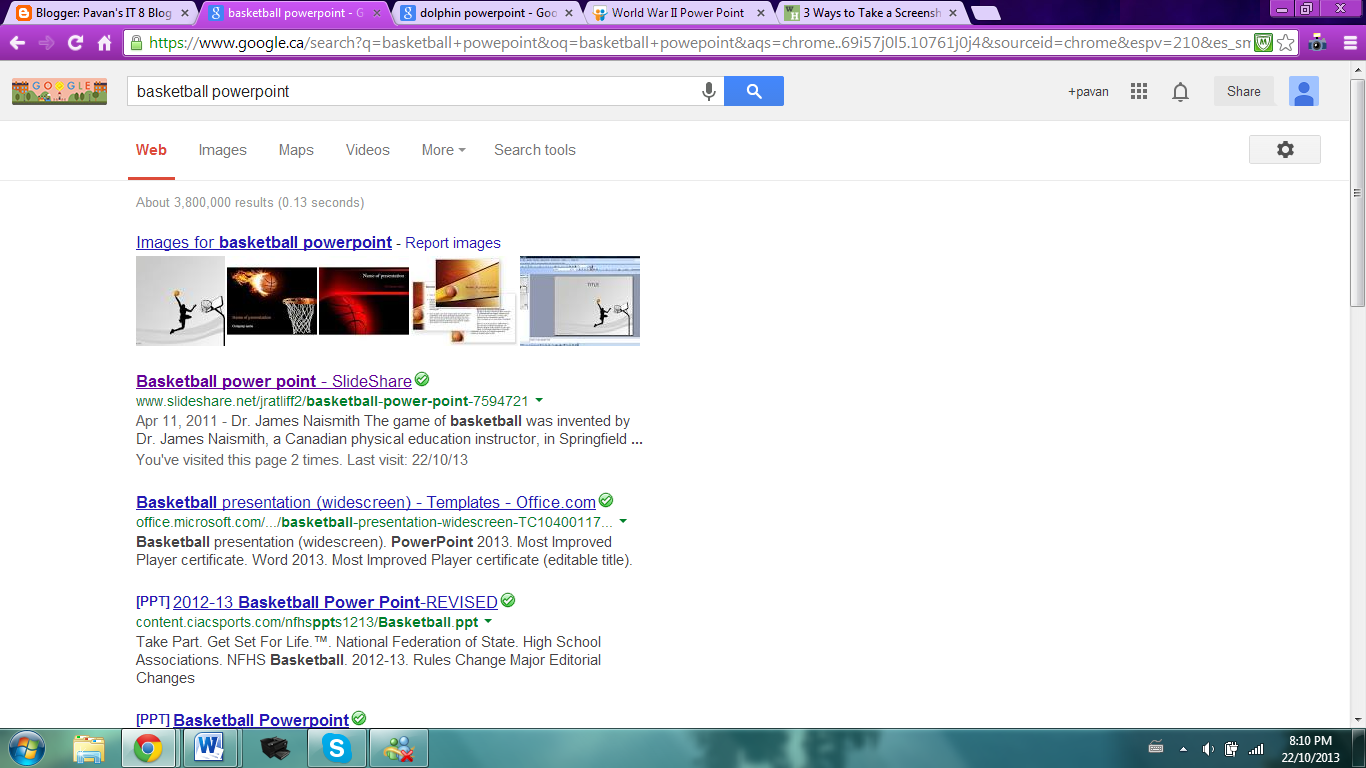
Tips for PowerPoint
5 things that I like about Power Points:
There are many options to make your
PowerPoint presentation look amazing.
· I like that the graphics look really
cool, normal presentations are actually not as intriguing as the PowerPoint’s I
saw.
5 things I dislike about PowerPoint’s:
I do not like that it would take a ton of time
designing and figuring out templates, colors and all that.
I also didn't like that some of my PowerPoint's
had spelling and grammar mistakes.
5 things that I like about Power Points:
There are many options to make your
PowerPoint presentation look amazing.
· I like that the graphics look really
cool, normal presentations are actually not as intriguing as the PowerPoint’s I
saw.
· The PowerPoint presentations don’t have
a lot of information to read through, it is was simpler and more intriguing to
read a PowerPoint than another presentation.
· There are also a ton of fonts to choose
from and you can vary the types of font you use. Some
of the templates looked really awesome and cool.
5 things I dislike about PowerPoint’s:
I also didn't like that some of my PowerPoint's had spelling and grammar mistakes.
5 elements of a Great PowerPoint:
- The PowerPoint should vary colors and fonts to make it look intriguing. (but not too much either)
- It should have proper sentence structure and the structure should also vary.
- There should be captions under the pictures so the reader knows whats going on.
- In the entire PowerPoint, there shouldn't be too much extra information.
- Backgrounds should always look the same, it kind of looks boring.
5 elements of a Terrible PowerPoint:
- Terrible PowerPoint's always do not have proper information.
- They also have horrible grammar and sentence structure.
- Typically, there are little or no photos along the PowerPoint.
- Terrible PowerPoint's also always look rushed or incomplete.
- They also always look boring and the reader typically gets bored
- Some terrible PowerPoints barely have any information, they seem very empty
- Most PowerPoints that are bad, are very crowded and messy.


Saturday, 12 October 2013
Connected, but alone?
SUMMARY OF VIDEO
Sherry Turkle told us that technology is taking over our lives and we have to cut back on our use of it. She was telling us that computers put on a show and they don’t actually make us feel the way they say they do. Even though it is mostly stated that electronic devices are safe, there are many flaws that humans easily oversee. Having phones or iPod's constantly near you can affect your brain and trigger some types of mental disorders. Sherry told us that something can easily excite or make us feel happy like a text, but it is kind of like “false happiness”, because they robots act like they feel your emotions but they don’t. Nothing is better than your own kind; robots do not understand they act like they do. She told us that now day’s people don’t bring up a conversation with random people, they are slowly losing their socializing skills. This proves that we shouldn't let it take over everything.
QUESTIONS
I. Do you agree that technology changes who we are? Why or why not? Explain whether these changes are positive or negative.
I agree that technology changes who we are. It allows us to polish who we are and show our fake selves to someone. We can always go back to a text and change up the words as long as we don't send it. We could act sad but actually be happy or laughing. Technology gives us a change to define who we are in a more polished way. We can also say things without meaning it. In a way these changes are positive, they allow us a change to change up our reactions to something. This also has a negative effect, people do not actually find out who the person truly is. For instance they might trust someone because they seem nice, but in reality they aren't trust able. On the internet I could also pretend to be someone else and fool other people.
ii. What does “alone together” mean to you?
It means that we are slowly falling into the hands of technology. We are in the presence of other people, but we choose to involve technology to everything and use it wherever we go. For example if I sat in a bus and there was a random teenager beside me, he or she won’t say hi, they will probably on their phones or iPod's.
'We expect more from technology than from each other' - Sherry Turkle.
iii. “We expect more from technology than we do from each other.” Do you agree or disagree? Explain your answer.
I agree we do expect more from technology. Even if I was sitting next to my best friend, and we both had our iPod's I would most likely text her. We expect technology to make us feel better or keep us busy. Now days, we don't really expect other humans to do this. Technology is taking over; slowly we all are staring to expect more from technology because we could literally do anything on it. We prefer technology over our own species.
iv. Do you think you are the same person when you text/email/comment that you are in “real life”? Why or why not? Explain.
No I am nicer and more sympathetic when I’m texting my friends. Usually in real life I always blurt out things, but while texting I do not do that. I always send messages that are way nicer than I am. While texting I always change up the words and I can’t really blurt anything out.
v. Would you rather text than talk in a conversation? Why or why not. Explain your thinking.
I would rather talk in a conversation because sometimes I'm too lazy to text something that is really long so I just leave it. I also hate it when the other person texts something and I have to change my ENTIRE text, it is so annoying. When I talk in a real conversation, this doesn't usually happen and my voice is faster than my thumbs. By talking in a real conversation I can also get to know who that person really is and their initial reaction to something.
vi. Do you agree that technology is a form of companionship? Explain.
Yes, but it depends what kind of technology it is. If it is a microwave or stove, no, but if it is an iPod, laptop, computer, some robot or another electronic device, then yes. If you are texting someone then technically the device would be a companion because someone else is basically ‘talking’ to you. T.V’s are also companions because they get rid of your boredom and that’s what companions do.SO basically it depends on the situation and what kind of technology you are specifically using.
MY PERSPECTIVE
In a way technology does both. It can help us and hurt us at the same time. Technology is something that it is sometimes so helpful that is turns harmful. Technology can make us lazy, extremely inactive, and it can lead to hearing and vision impairment. So technology can get really dangerous when you use it too much. Using technology too much can also cause us to stop socializing and everyone knows that when you stop using a skill, you eventually lose the ability to do it. Technologies can also allow high school students to cheat on tests. These students would get marks that they don’t deserve. Social websites also allow students to waste tons of time and procrastinate. This can lead to last minute projects and low marks. Technology also makes us dependent on it, if your friends are texting and you aren't online, it can make you feel left out when you check your messages. Even though it has bad sides, there are many helpful things about technology. Overall technology has made our lives easier and more efficient. Help on homework is always available, and you can always email your teacher if you need help. It even makes students’ lives more organized; they can always email themselves the homework or ask friends about it. Technology also allows us to pass free time and not be bored. It also makes our lives organized. If we have any questions we could always search the question and be provided with the answer. If we don’t know how to do a certain thing, then we can always watch tutorials or get instructions on how to do it. These are the reasons why technology is harmful and helpful to us.
Subscribe to:
Posts (Atom)